

TLGPS PLATFORM / 01
The fleet is the working context.
TLGPS brings visible vehicles, current tracking context and company access into one operational workspace. Each team works within its authorized company scope.
- Company
- Vehicles + devices
- Current context
- Workspaces + team
01 / FLEET VISIBILITY
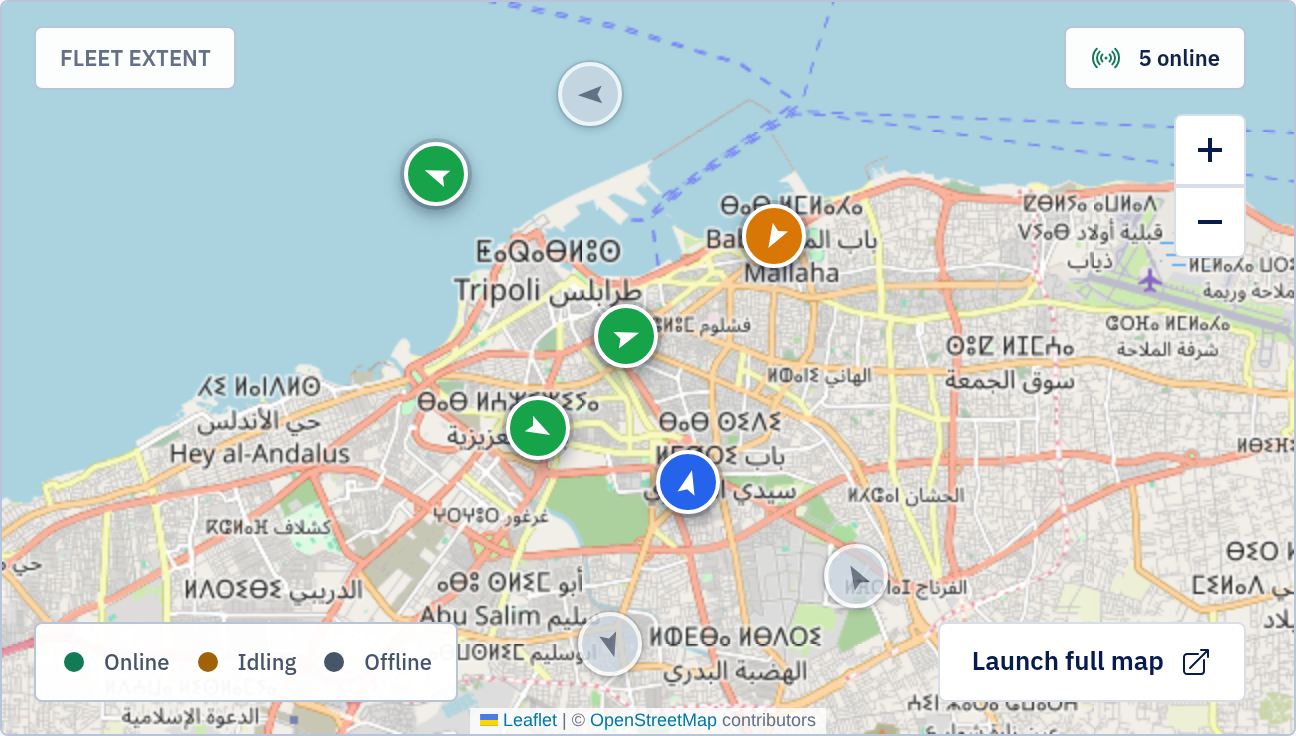
Start with the visible fleet.
Fleet summaries bring movement, connection and attention into one view. Detail follows the selected vehicle.

02 / FOLLOW THE CONTEXT
From fleet status to one vehicle.
The map and tracking list keep vehicle identity close to location and state when current data is available. Available history sits within supported tracking access.

03 / COMPANY + TEAM
Access follows the company.
Bring the team into one company context, with access suited to each person's responsibility. Company capabilities define what can be made available.
One company
Northstar Fleet Operations
One team · different responsibilities
- Maya BennettCompany Administrator
- Omar SalehDeveloper
- Lina HaddadSelected person
Responsibility
Operator
Authorized access
Operations
Company capabilities
Define what can be made available to the team.
NEXT / INTEGRATIONS
Where can selected fleet context go next?
Explore the bounded REST and Gateway paths for authorized company systems.
Integrations →